Building jlwhite.ca: a static site, an email fix, and DNSSEC
A boring-by-design Astro site on Cloudflare, and the DNS, email-authentication and DNSSEC work behind it.
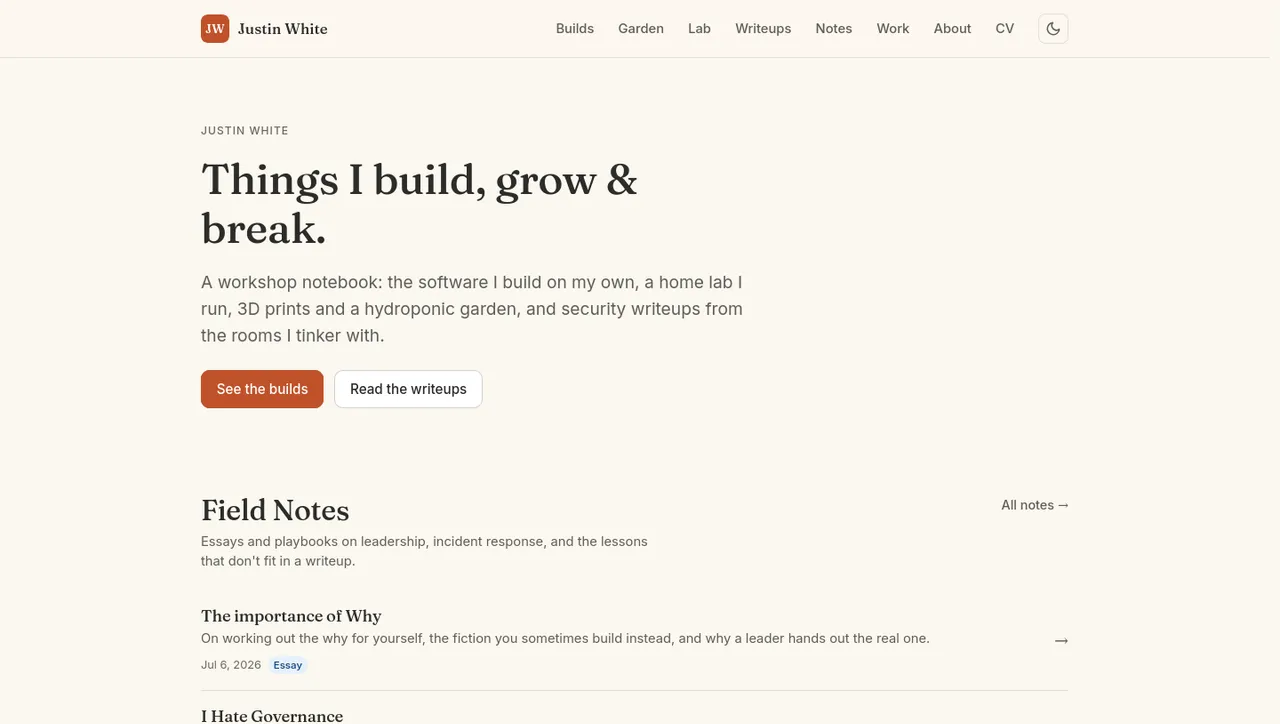
jlwhite.ca is my personal site. It publishes a few case studies and the occasional security note. None of that needs a server, a database, or a login, so it has none of those. What follows is what it actually is, and how the infrastructure underneath it was moved and fixed.
The site
This is an Astro static site. The writeups live in content collections, so each piece is a Markdown file with typed frontmatter and the routing falls out of the directory. Images go through Astro’s image pipeline (sharp) and come out as optimized webp. There’s a dynamic endpoint that generates an OG card per page, tag pages, and a dark-mode toggle in a warm palette.
It deploys to Cloudflare Pages with the Astro build preset: build command npm run build, output directory dist, production branch main. Every push to main triggers a build and a deploy. There’s no staging server to babysit, no deploy script to run by hand, and nothing to roll back beyond reverting a commit. The apex and www are both attached to the project as custom domains, the apex served via Cloudflare’s CNAME flattening, with a managed TLS certificate auto-issued by Google Trust Services and all HTTP traffic 301-redirected to HTTPS. DNS, DNSSEC, and email auth (SPF/DKIM/DMARC over Google Workspace) all sit on Cloudflare too. There’s no server to run, which for a site that publishes a few case studies and the occasional security note is the right amount of infrastructure.
A static site generator on a CDN is the boring, correct choice, and I picked it for the same reason I pick boring tools everywhere else. I’d rather spend the attention on what the pages say than on keeping a host alive.
Moving DNS to Cloudflare
The domain is registered at Namecheap, and Namecheap stays the registrar. This was not a transfer of ownership. What moved was DNS authority. The zone came off Namecheap’s basic DNS and onto Cloudflare, which is now the authoritative DNS host; the nameservers at Namecheap were repointed to Cloudflare’s assigned pair. Putting DNS, the CDN, TLS, and the email-auth records all in one control plane is the reason the rest of this was tractable: one place to reason about records, one place that also terminates TLS and absorbs traffic.
Fixing email: the Google Workspace receive problem
Email runs on Google Workspace at justin@jlwhite.ca, and it had a specific, annoying failure mode: outbound mail sent fine, inbound mail never arrived. The cause was in the DNS, not in Workspace. The domain’s MX record still pointed at Namecheap’s email-forwarding service, a leftover from before Workspace, so inbound mail was being handed to a forwarder instead of to Google. The fix was to replace that MX with the custom record for Google’s mail servers (smtp.google.com), at which point inbound delivery to the Workspace inbox started working.
There was a second casualty of the old setup. Turning off Namecheap’s email forwarding had silently dropped the Google domain-verification TXT record, so that had to be re-added for Workspace to keep trusting the domain.
The SPF/DKIM/DMARC chain
Receiving mail is the easy part. Keeping the domain from being trivially spoofable takes a bit more. The full email-authentication chain is in place:
- SPF:
v=spf1 include:_spf.google.com ~all, authorizing Google’s infrastructure to send for the domain. - DKIM: a 2048-bit key, selector
google, generated in the Workspace admin console, with signing active. Outbound mail is signedd=jlwhite.ca, s=google. - DMARC: published first at
p=nonewith aggregate reporting turned on, so receivers reported what they saw without anything being quarantined, and since tightened top=quarantine.
This was verified end to end in both directions, not assumed from the records existing: inbound mail lands in the Workspace inbox, and outbound mail passes SPF (aligned), DKIM (d=jlwhite.ca, s=google), and DMARC at the receiver.
DNSSEC and the migration lesson
DNSSEC is enabled on Cloudflare, the zone is signed with ECDSA P-256, and the matching DS record is published at the .ca registry through the registrar, so the chain of trust is complete from the root down to the zone.
The part worth writing down is the sequencing. Moving a DNSSEC-signed domain between DNS hosts without a validation-failure (SERVFAIL) window means you withdraw the old DS record first and let it clear the registry and resolver caches before the new signer takes over. Doing the DS withdrawal and the nameserver switch at the same time leaves resolvers trying to validate the new zone’s signatures against the old DS, and they fail closed. That is exactly what happened here: a brief, low-impact SERVFAIL on a zero-traffic domain, then it was sequenced correctly on Cloudflare.
What actually protects this
The security posture here is mostly a consequence of the choices above. Mail can’t be cheaply forged as the domain: SPF, DKIM, and DMARC let a receiver confirm that mail claiming to be from jlwhite.ca is aligned and signed, and give a path, as DMARC tightens, to have forgeries quarantined or rejected outright. DNS answers can’t be silently forged in transit: DNSSEC signs the zone, so a tampered response fails validation rather than getting believed. TLS is everywhere, a managed edge certificate plus an HTTPS-only 301 redirect, so there’s no plaintext path to fall back to.
Most of the protection comes from how little there is to attack. A static site has no application server to patch, no database, no login or admin panel to compromise. The content compiles to flat files served from Cloudflare’s edge, which also absorbs DDoS. Privacy-respecting defaults round it out.
MTA-STS is in enforce mode, so sending servers must deliver over authenticated TLS, with TLS-RPT failure reporting alongside. A few things are still queued: a CAA record to restrict which certificate authorities may issue for the domain; the last DMARC step, from quarantine to reject; and enforcing 2-Step Verification org-wide in Google Workspace, with a passkey on the admin account.