The network lab
A rack of Cisco routers and Catalyst switches where I learned routing and switching on real iron, most of it since passed on to others starting out.
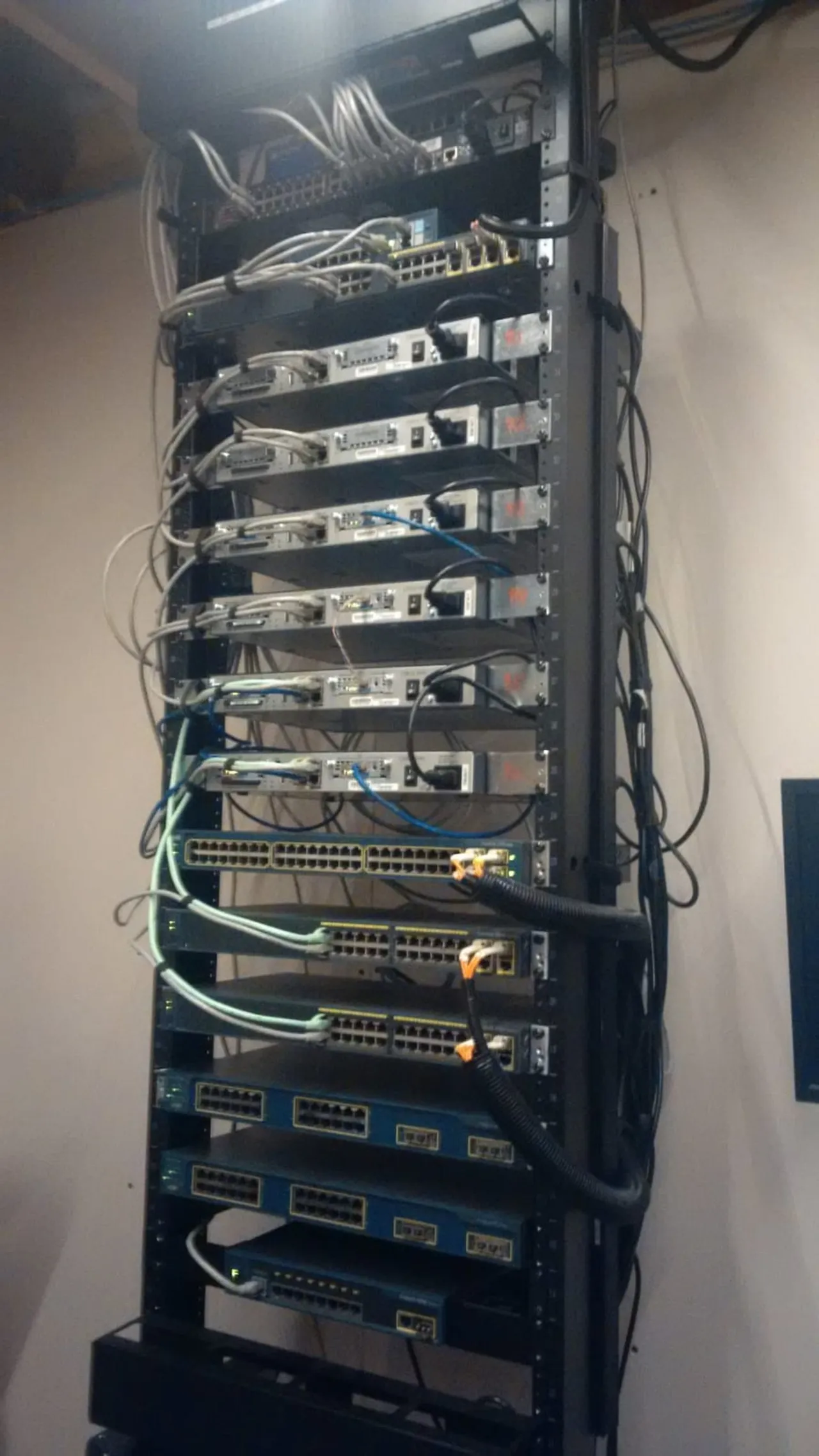
Before the lab moved to virtualization, it was iron. This rack is where I learned networking the way it actually behaves.
Routing and switching on real hardware
A multi-router, multi-switch Cisco topology: Catalyst switches and routers, fully cabled, with a console cable never far away. It’s the kind of setup you can’t really learn from a simulator. Subnetting, routing protocols, VLANs and trunking, spanning-tree, PoE, all on hardware that fails the way real hardware fails.
It’s also the bench that carried me through my CCNA and CCNP. I labbed the exam topics on real gear instead of memorizing them, and that is why they stuck.
Where it went
Most of this gear has since moved on. I gave the bulk of the rack to people starting their own networking journey. Secondhand enterprise kit is how a lot of us learned, and it’s worth more in someone else’s hands than sitting dark in mine.
What it taught me stayed. Understanding how a frame actually moves across a switch, or how a routing table converges, makes the virtual networking in the current lab feel like the same ideas at a different layer: bridges instead of trunk ports, an HA firewall pair instead of a single edge router. This rack taught me what the abstractions are standing on.